



Everything SurveyHeart Can Do
Build, share, collect and understand your forms and surveys, all in one free tool.
Smart Form Builder
Build any form by dragging questions into place. No design skills needed.
- check_circleDrag and drop builder, ready in minutes
- check_circleSplit long forms into multiple pages
- check_circleMark fields required and show a progress bar
- check_circleAdd a welcome screen and a custom thank-you page
- check_circleShuffle questions to keep answers honest
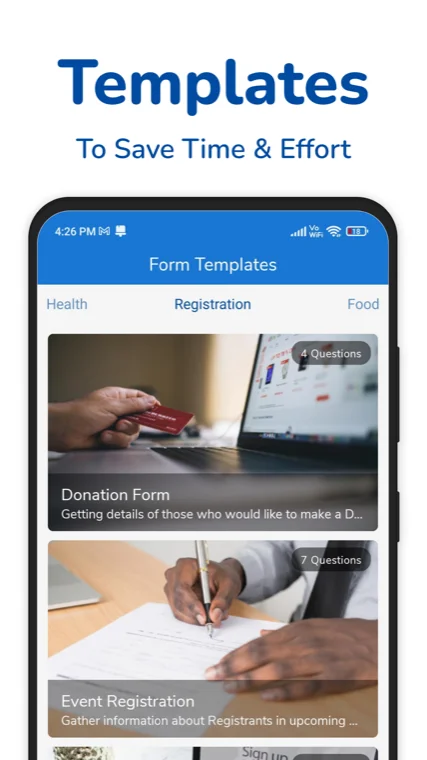
- check_circleStart from 100+ ready-made templates
22 Question Types
Ask anything, the right way, with a question type to match.
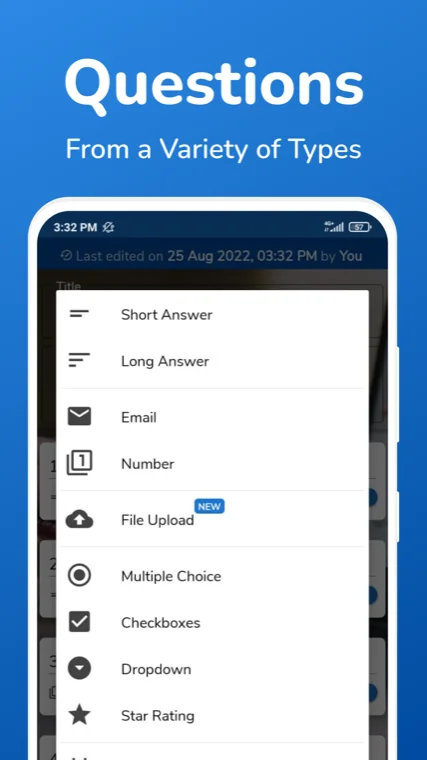
- check_circleShort text, long text, email, number and web link
- check_circleMultiple choice, checkboxes and dropdown
- check_circleStar rating, smiley rating and linear scale
- check_circleDate, time, and multiple choice or checkbox grids
- check_circleFile upload from respondents
- check_circleSlider, picture choice, ranking and signaturePaid
Easy Sharing
Get your form in front of people on any channel they already use.
- check_circleShare a link, copy it in one tap
- check_circleQR code for posters, screens and print
- check_circleSend on WhatsApp, email or SMS
- check_circlePost to Facebook or X
- check_circleEmbed the form on your own website
- check_circleNo account needed for people who reply
Response Analytics
See what your answers mean the moment they come in.
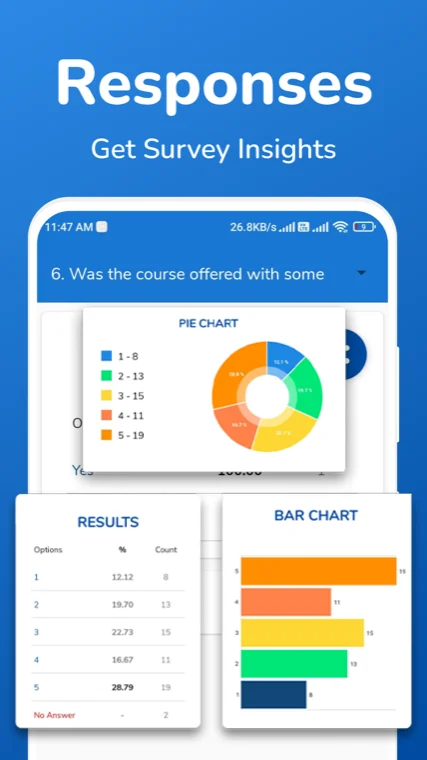
- check_circleAutomatic charts for every question
- check_circleSwitch between summary and individual views
- check_circleSearch responses and filter by date or answer
- check_circleSee response counts at a glance
Data Export
Take your data anywhere. It is yours.
- check_circleExport to Excel (XLSX)
- check_circleExport to CSV
- check_circleExport to PDF
Themes and Branding
Make the form feel like yours.
- check_circleBuilt-in colour themes
- check_circleUpload your own background image
- check_circleRemove "Powered by SurveyHeart"Paid
Conditional Logic
Show the right questions to the right people.
- check_circleLogic jump: show or skip questions based on answersPaid
- check_circleSend people down the path that fits their replyPaid
Collaboration and Alerts
Work as a team and never miss a response.
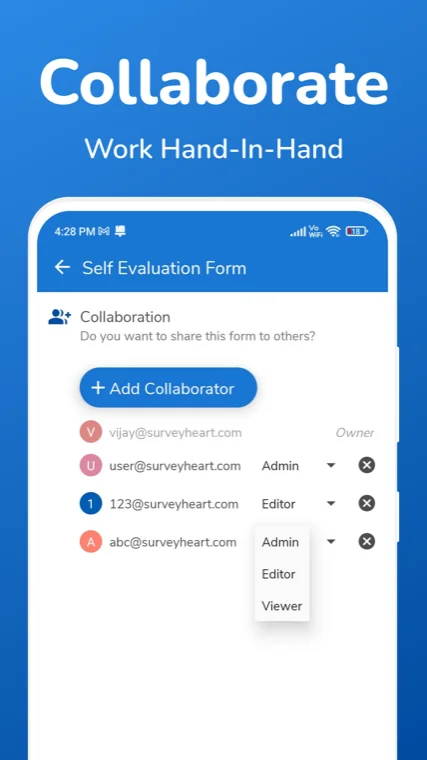
- check_circleAdd teammates as owner, editor or viewer
- check_circleGet a push notification on every new response (mobile)
Security and Scheduling
Control who can answer, and when.
- check_circlePasscode protect your form
- check_circleSchedule when the form opens and closes
- check_circleAllow or block multiple submissions
Works in Your Language
Use SurveyHeart in the language you are comfortable with.
- check_circleApp interface in 13 languages
- check_circleTemplates available in those languages
Quiz Builder
Turn a form into a scored quiz with the same builder.
- check_circleAdd points and auto-score answers
- check_circleQuiz taking and leaderboards happen on quizzory.in
Free Mobile App
Build and manage forms from your phone.
- check_circleFree apps for Android and iOS
- check_circleCreate, share and track on the go
- check_circle10M+ installs and a 4.4 Play Store rating
See it in Action
Real screens from the SurveyHeart app.
Quick Facts
Yes. Building forms and collecting responses is free. A few advanced tools need a paid plan.
Your responses as Excel (XLSX), CSV and PDF.
Nothing. Anyone with the link or QR code can reply, no account needed.
Conditional logic, a few advanced question types, and removing the SurveyHeart branding.
Both. Use it in any browser or the free Android and iOS apps.
Build it here with the same tools, then share and play on quizzory.in.
- Building forms and collecting responses is free. A fair-use review only applies at very high volumes.
- Conditional logic (logic jump) and a few question types like slider, picture choice, ranking and signature need a paid plan.
- Export is to Excel, CSV and PDF. There is no direct Google Sheets export.
- Paid plans hide the app-install prompt on your forms. Standard display ads can still appear.
- The app interface is available in 13 languages. Forms do not switch language for each person on their own.
- You can build quizzes here. Taking quizzes and leaderboards happen on quizzory.in.
Frequently Asked Questions
Is SurveyHeart free to use?
Yes. You can build forms and surveys and collect responses for free. A few advanced tools, like conditional logic and some question types, are part of the paid plans.
How many question types can I add?
There are 22 question types, from short text, multiple choice and star rating to file upload, grids and date or time. A few advanced ones like slider, picture choice, ranking and signature need a paid plan.
How do I share my form?
Share a link, show a QR code, or send it on WhatsApp, email or SMS. You can also post to Facebook or X, or embed the form on your own website. People do not need an account to reply.
Can I see charts and export my responses?
Yes. SurveyHeart builds a chart for every question as answers arrive, and you can search and filter responses. You can export everything to Excel, CSV and PDF.
Do people need an account to fill my form?
No. Anyone with the link or the QR code can open and submit your form without signing up.
What needs a paid plan?
Conditional logic (logic jump), a few advanced question types, and removing the SurveyHeart branding. Building forms and collecting responses stays free.
Can I password protect or schedule a form?
Yes. You can add a passcode, schedule when the form opens and closes, and choose whether people can submit more than once.
Is there a mobile app?
Yes. SurveyHeart has free apps for Android and iOS, with over 10 million installs and a 4.4 Play Store rating, so you can build and manage forms from your phone.
What You Can Do with SurveyHeart
SurveyHeart is a free online form builder for surveys, registration forms, feedback forms, order forms and polls, made from your phone or your browser. Build with drag and drop, choose from 22 question types, split longer forms into pages, mark fields required, add a welcome screen and show a thank-you page. Share by link, QR code, WhatsApp, email, social media or embed, then review automatic charts, search responses, filter entries and export your data to Excel, CSV and PDF. SurveyHeart also has colour themes, custom backgrounds, passcode protection, open and close schedules, team roles and mobile alerts. You can build quizzes too, while quiz taking and leaderboards happen on quizzory.in. Respondents answer without an account.
Start Building for Free
Free to use. Unlimited responses. No account needed for the people who reply.